How It Works

Your online learning journey is as easy as 1-2-3!

Do you want to start building your skills and knowledge today? Our ready-to-go Library of interactive online training courses can be accessed immediately.

""

1. Sign up for a membership

""

2. Add employees & track progress

""

3. Relax!

Tips to Navigate an Online Training Course

Use these tips to help you navigate each online training course.
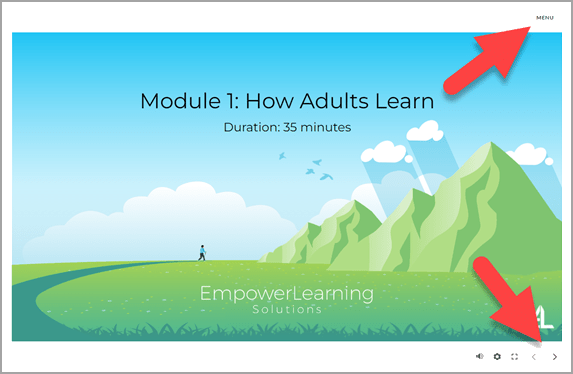
Course title page. Arrow is pointing to the menu at the top right corner of screen. Another arrow is pointing bottom right corner at an arrow which is the next button. Next button is used to advance screens.

Menu is in the top right corner
Navigation is in the bottom right
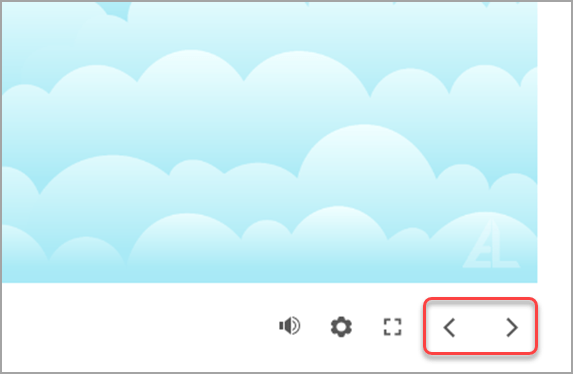
Course scree zoomed in to view the next and back arrows found at the bottom right corner of each screen.

Use the forward arrow to advance to the next screen
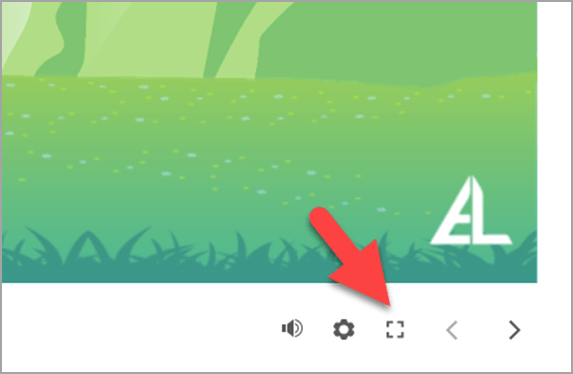
Course scree zoomed in to view a square found at the bottom right corner of each screen. The square is used to make the course full screen.

Use this button to view in full screen
Use the ESC key to exit full screen
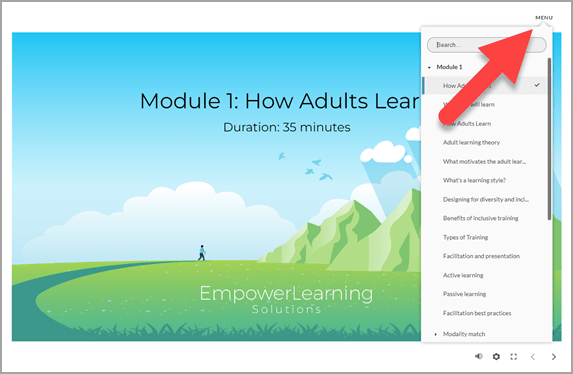
Course title page. Arrow is pointing to the location of the menu link on the top right corner of the screen. The menu is open showing screen titles.

To select a specific topic, open the menu

Join our mailing list